
How to create a blog page
Blogs
Blog pages are the fixed pages of your blog, such as About me, Work with me or Contact. Here is how to create and manage them.
- Go to the Sites tab, click Blogs, then click your blog's name.
- Open the Pages section. SleepPRO™ creates 5 sample pages for every new blog. To change one, click the three dots and choose Edit.
- To add a new page, click Create, enter the page name and URL path, and click Create a blog page.
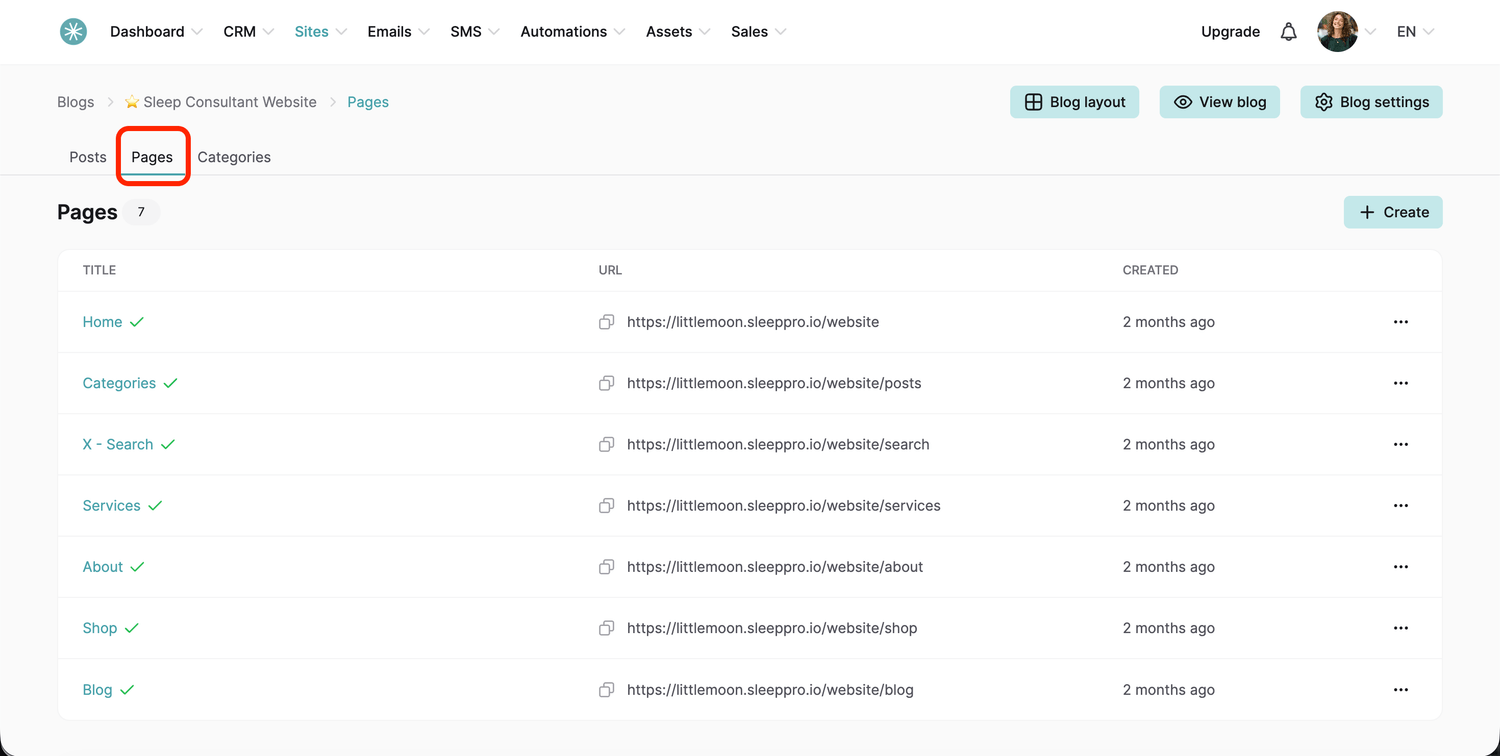
Your page options
Click the three dots next to any page to see these options:
- View: preview the page as a visitor.
- Edit: open the page editor.
- Duplicate: make a copy.
- Don't use blog layout: turn off the shared blog design for this page only.
- Settings: change the page name and URL path.
- Delete: remove the page.
Give one page its own look
Want your sleep packages page to look different from the rest of your blog? Click Don't use blog layout, then Edit. In the editor you can change the default and heading typography and drag in any elements you like.
Changed a style and want it back? Click the Reset icon next to the setting, such as typography, colors or size and position. The element goes back to how it looked when you first added it.
To return to the shared design, click the three dots and choose Use blog layout.
Did this answer your question?