
Category fields explained
Blogs
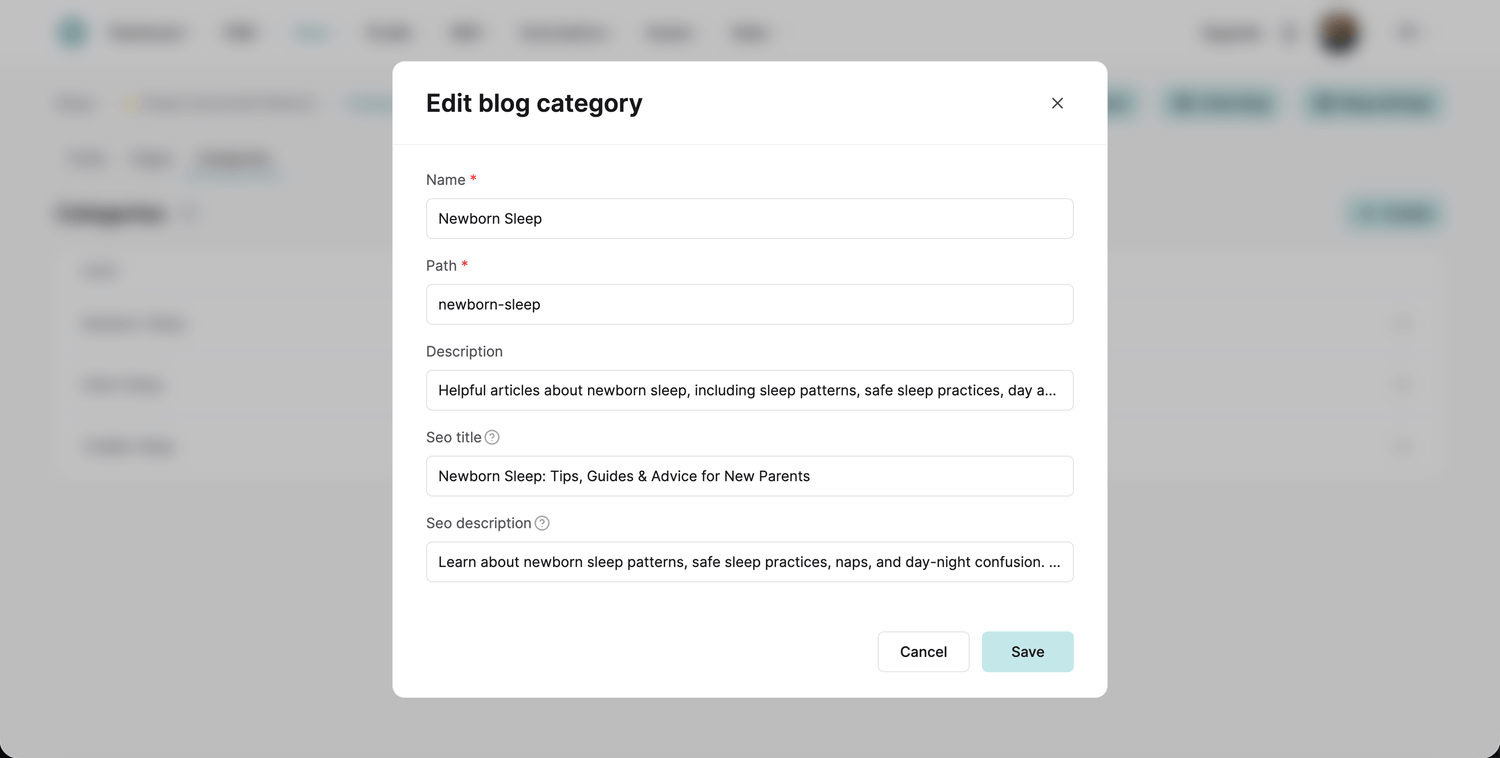
Here is where each field you fill in when creating a blog category shows up.
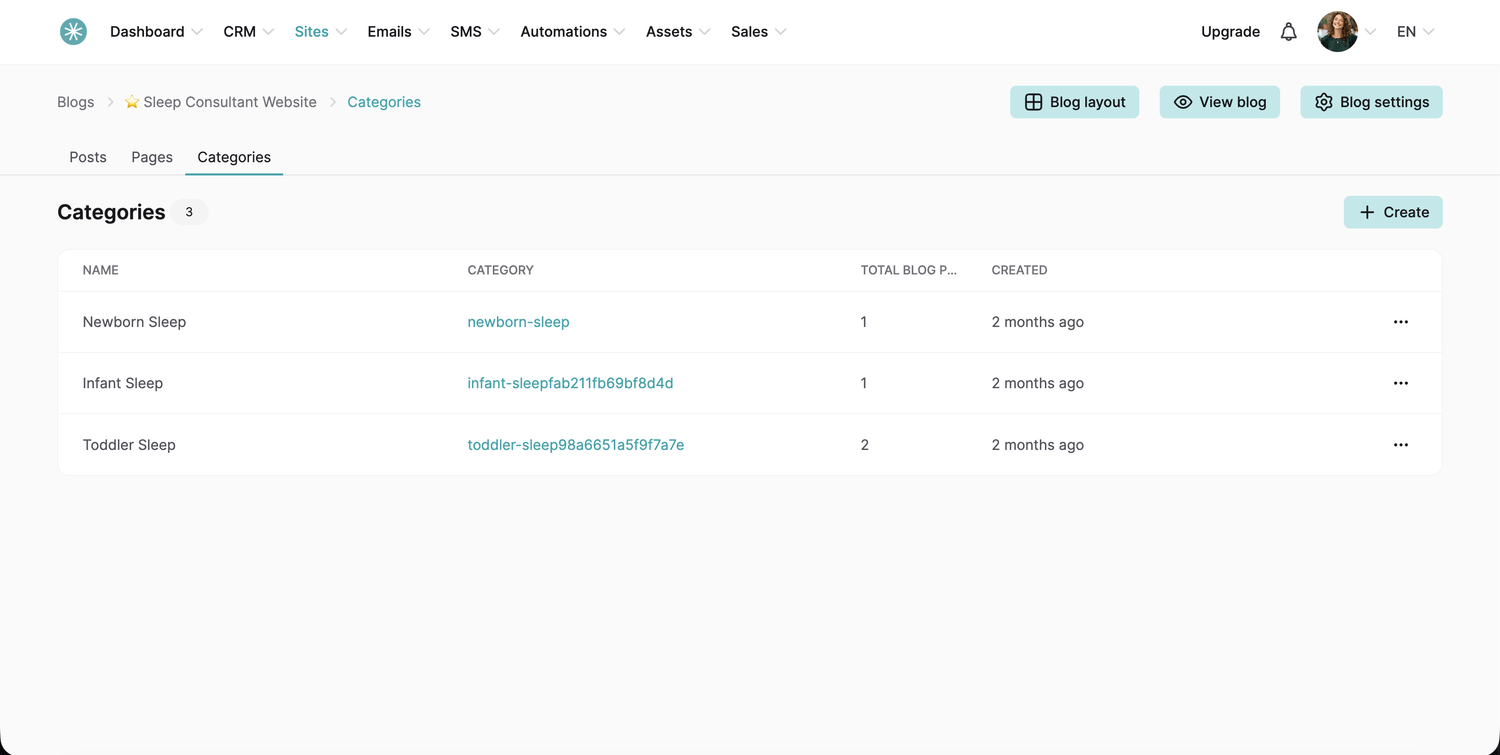
To create a category, open the Categories section of your blog and click Create.
- Name: shows at the top of the category page, for example Toddler sleep.
- Path: created automatically from the name, with dashes between the words. You can change it, and it does not need to match the name.
- Description: shows on the category page under the name.
- SEO title: shows in the browser tab and when the category page is shared on social media.
- SEO description: shows in search results and social media previews.
Did this answer your question?