
How to define your domain's homepage
Custom domains
Your homepage is the page parents see when they type your domain. Here is how to choose it. It can be a blog, a website, a creator store or a funnel page.
A blog
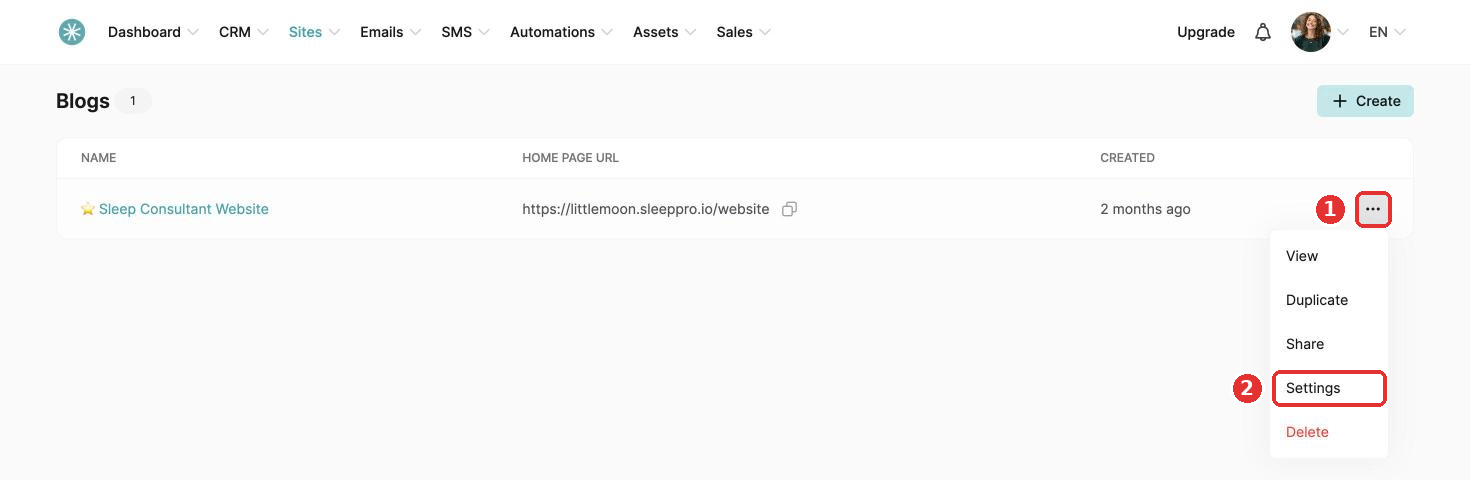
- Go to Sites, then Blogs.
- Click the three dots, then Settings.
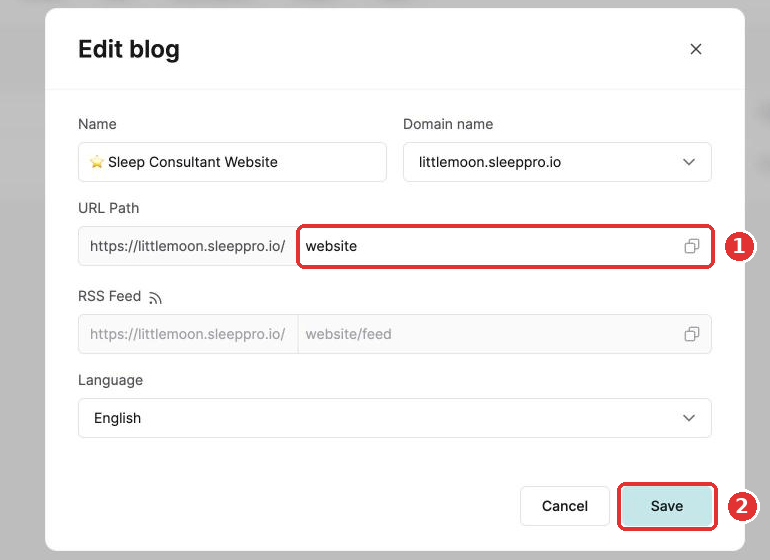
- Empty the URL path field and click Save.
A funnel page
Open the funnel page you want as your homepage and empty its URL path field. It saves automatically.
A website
- Go to Sites, then Websites.
- Click the three dots, then Settings.
- Empty the URL path field and click Save.
A creator store
- Go to Sites, then Creator stores.
- Click the three dots, then Settings.
- Empty the URL path field and click Save at the bottom of the page.
Did this answer your question?